Category Archives: Computer Efficiency

F@H Efficiency: AMD Phenom X6 1100T

Welcome back to the fold!  In the last post, I showed how increasing the # of CPU cores has a massive positive impact on the amount of cancer-fighting research your computer does, as well as how efficiently it does it.  In stock form, the quad core Intel Q6600 delivered just shy of 6000 points per day of F@H with all 4 cores engaged.  My computer’s total power draw at the wall was 169 watts.  So, that works out to be 6000 PPD / 169 Watts = 35 PPD/Watt.  Not too bad, considering the horrible efficiency numbers of the uniprocessor client.

In this article, I’m jumping forward in time to a more modern processor…the AMD Phenom II X6 1000T.  This six-core beast is the last of the true core-for-core chips from AMD (Bulldozer and newer CPUs have 2 integer units but only 1 floating point unit per core).  With 6 physical floating point cores, the AMD 1100T should be good at folding.

Note that I am obviously using a completely different computer setup here than in the last post (I have an AMD machine and an Intel machine).  So, the efficiency numbers aren’t a perfect apples-to-apples comparison, due to the different supporting parts in both computers.  However, the difference between processors is so large that the differences in the host computers really doesn’t matter.  The newer AMD chip is much better, and that is what is driving the results!

Test Rig Specs:

AMD Phenom II X6 1100T
Gigabyte GA-880GMA-USB3 Micro ATX Motherboard
8 GB Kingston ValueRam DDR3 1333 MHz (4 x 2GB)
Seasonic S12 II 380W 80+ PSU
Hitachi 80 G SATA Hard Drive
Linkworld MicroATX
Fans: 2 x 80mm Side Intake, 1 x 80mm front intake, 1 x 92 mm Exhaust
Noctua NH-C12P SE14 140mm SSO CPU Cooler

A note about the operating system…

The previous tests on my Intel Q6600 were performed using Windows 7 with the V7 folding client.  Due to Windows costing money, I used Ubuntu Linux on my AMD system with the V7 folding client.  Linux is a bit more capable of maxing out a PC’s hardware than Windows, so the resulting PPD numbers are likely slightly higher than they would be had the machine been running Windows.  However, the difference is typically small (5 percent or so).  Note that over time, this performance bonus can really add up.  This is why Linux is the preferred operating system for many dedicated Folding at Home users.
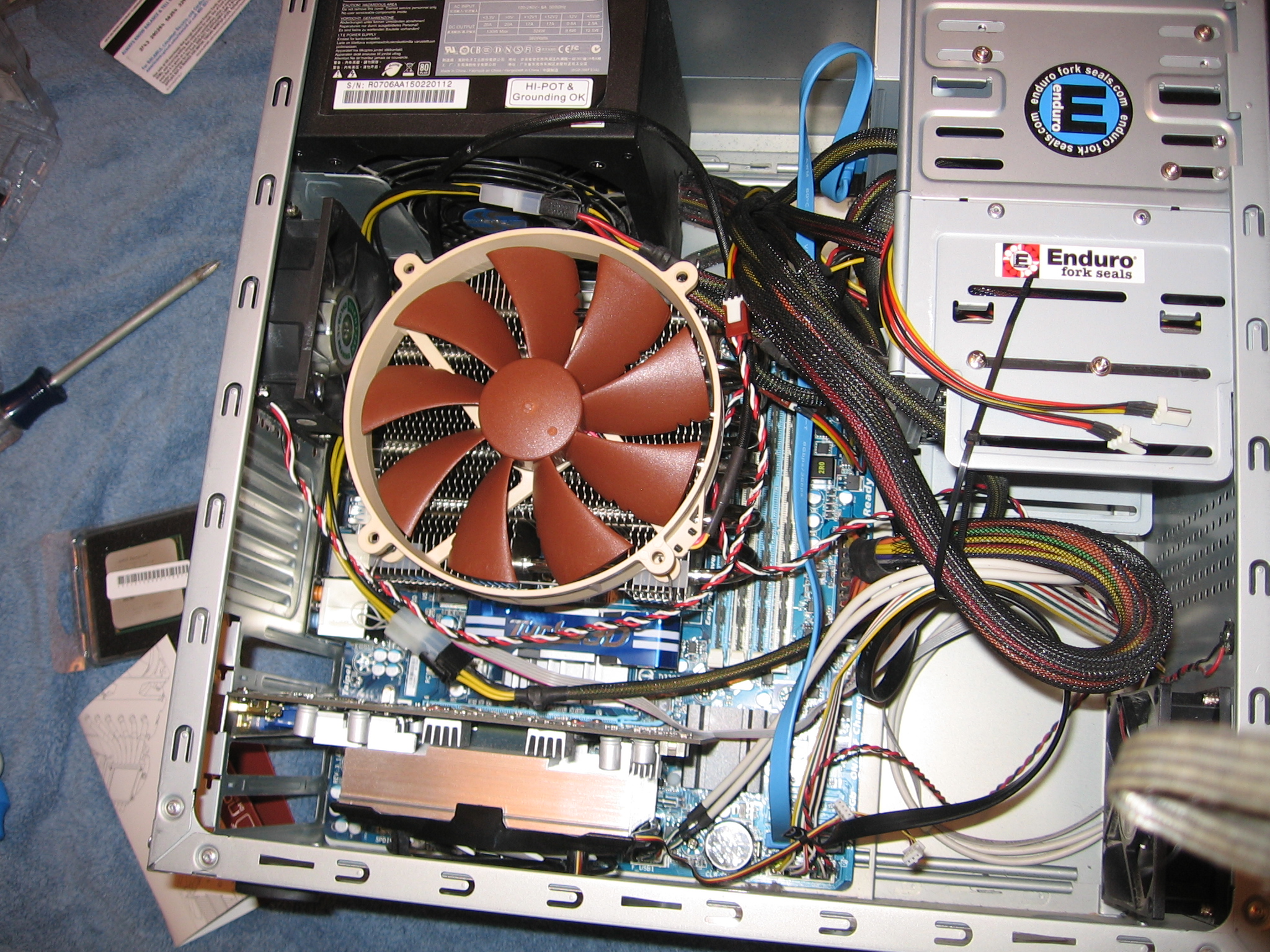
AMD Folding Rig - Phenom II X6 Configuration

AMD Folding Rig – Phenom II X6 Configuration

Test Results

AMD Phemom II X6 1100T Folding at Home Performance and Efficiency
AMD Phemom II X6 1100T Folding at Home Performance and Efficiency

AMD 1100T 6-core CPU pushes the efficiency curve further

AMD 1100T 6-core CPU pushes the efficiency curve further

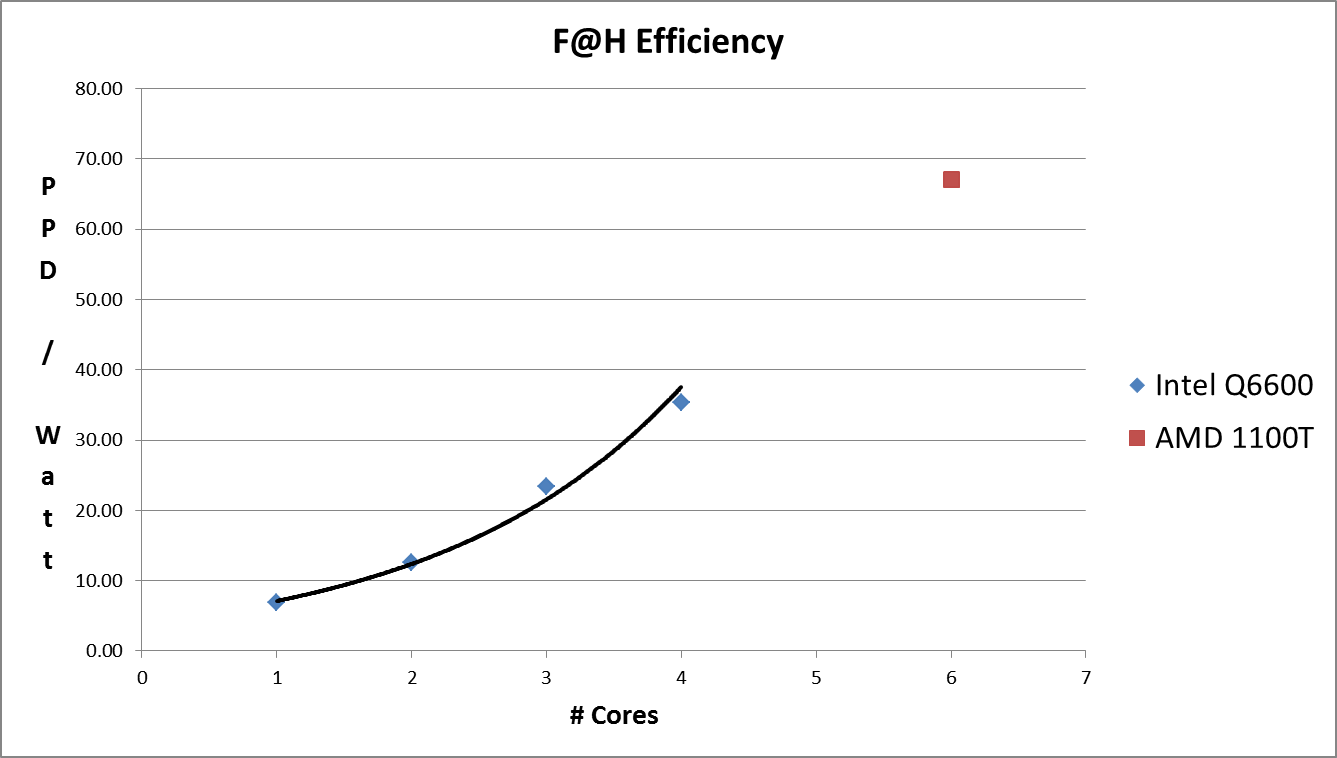
As expected, the 6-core 1100T is a performer when it comes to F@H.  Producing just shy of 13,000 Points Per Day with a total system power draw of 185 watts, this setup has an efficiency of 67 PPD/Watt.  This is almost twice that of the older Intel quad-cores.  Note that I am not Intel-bashing here…if you do some google searching, you will likely see that the new Intel Core I5 and I7’s do even better in both raw PPD and PPD/W than the AMD 1100T.  The moral of the story is that you should try and set up your folding Rig with the most powerful, latest-generation processor you can.  I recommend upgrading at least once a year to keep improving the performance and efficiency of your F@H contributions.  Don’t be that guy running an old-school Athlon X2 generation 300 points per day (while using 150 watts to do it).

Folding at Home CPU Efficiency: Multi-Core Intel Q6600

In the last post, I showed how environmentally unfriendly it is to run just the uniprocessor client.  In this post, I’ll finish off the study about # of CPU cores vs. folding efficiency.  As it turns out, you can virtually double your folding at home efficiency when you double the amount of CPU cores you are running with. Using the same Intel Q6600 as before, I told the Folding at Home client to ramp up and use three cores.  Then, once I had some data, I switched it to four-core folding.  With the CPU fully engaged, my computer became a bit slow to use, but that’s not a problem since what we are all about here is dedicated F@H Rigs (the only way to fold efficiently is to fold 100%).   If I want to use my computer, I’ll stop the folding to do so, then start it up later.

Here are the results of the 1 through 4 core F@H PPD experiment!

Q6600_Efficiency

As you can see, both performance (PPD) and energy efficiency (technically efficacy in PPD/Watt) scale with the # of CPU cores being used.  Yes, the system does use more total electricity when more cores are engaged (169 watts vs. 142), but the amount of work being done per day has far surpassed the slight increase in power consumption.  In graph form:

Intel Q6600 Folding@Home Points Per Day / Watt Graph

Intel Q6600 Folding at Home Efficiency Graph

Intel Q6600 Folding at Home Efficiency Graph

In conclusion, it makes the most sense from a performance and efficiency standpoint to use as much of your CPU as you can.  In the next post, I’ll look at a few more powerful CPU-based folding@home systems.

PPD/Watt Shootout: Uniprocessor Client is a Bad Idea

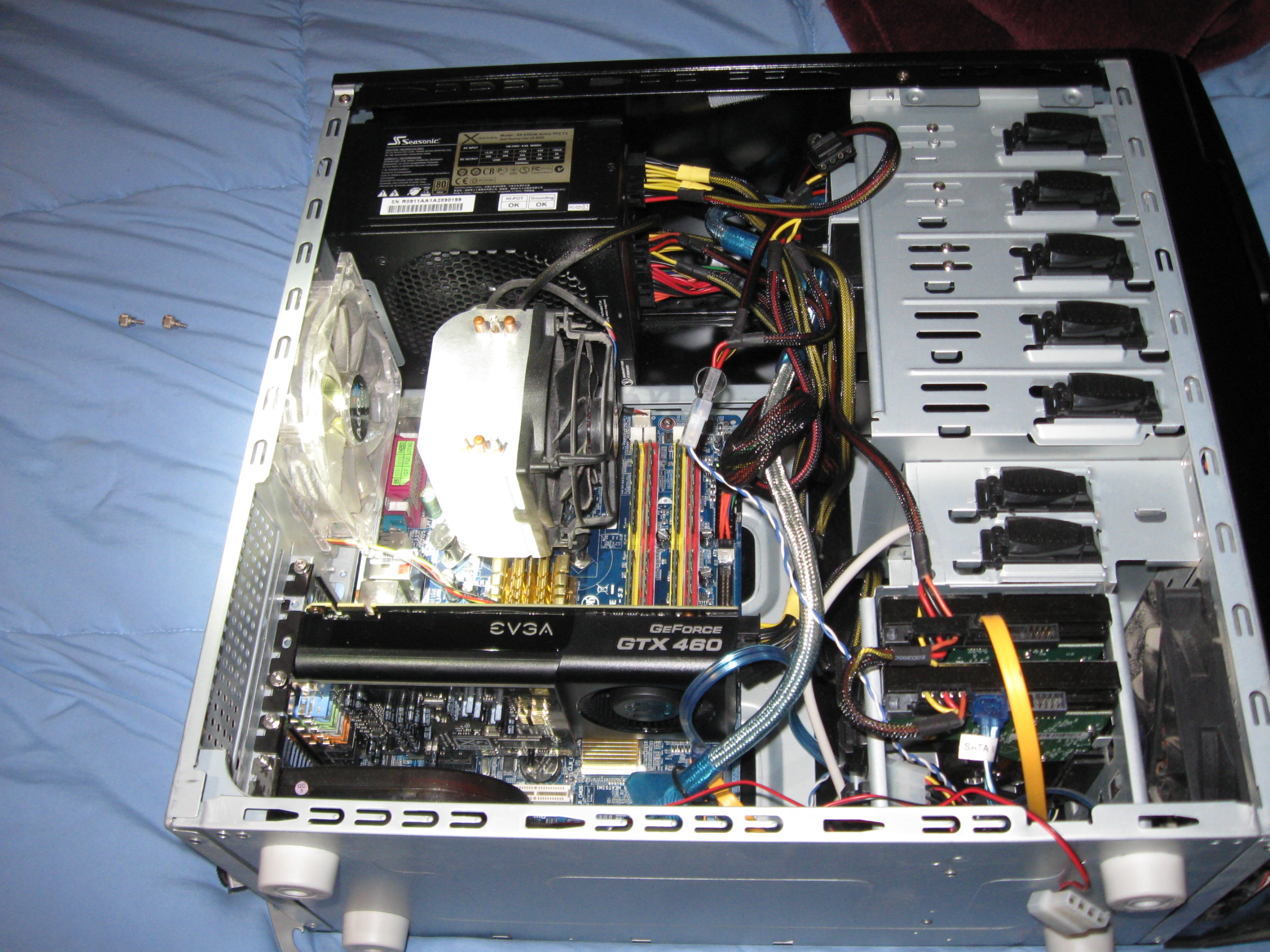
My Gaming / Folding computer with Q6600 / GTX 460 Installed

My Gaming / Folding computer with Q6600 / GTX 460 Installed

Since the dawn of Folding@Home, Stanford’s single-threaded CPU client known as “uniprocessor” has been the standard choice for stable folding@home installations.  For people who don’t want to tinker with many settings, and for people who don’t plan on running 24/7, this has been a good choice of clients because it allows a small science contribution to be done without very much hassle.  It’s a fairly invisible program that runs in the background and doesn’t spin up all your computer’s fans and heat up your room.  But, is it really efficient?  

The question, more specifically targeted for folding freaks reading this blog, is this:  Does the uniprocessor client make sense for an efficient 24/7 folding@home rig?  My answer:  a resounding NO!  Kill that process immediately!

A basic Google search on this will show that you can get vastly more points per day running the multicore client (SMP), a dedicated graphics card client (GPU), or both.  Just type “PPD Uniprocessor SMP Folding” into Google and read for about 20 minutes and you’ll get the idea.  I’m too lazy to point to any specific threads (no pun intended), but the various forum discussions reveal that the uniprocessor client is slower than slow.  This should not be surprising.  One CPU core is slower than two, which is slower than three!  Yay, math!

Also, Stanford’s point reward system isn’t linear but exponential.  If you return a work unit twice as fast, you get more than twice as many points as a reward, because prompt results are very valuable in the scientific world.  This bonus is known as the Quick Return Bonus, and it is available to users running with a passkey (a long auto-generated password that proves you are who you say you are to Stanford’s servers).  I won’t regurgitate all that info on passkeys and points here, because if you are reading this site then you most likely know it already.  If not, start by downloading Stanford’s latest all-in-one client known as Client V7.  Make sure you set yourself up with a username as well as a passkey, in case you didn’t have one.  Once you return 10 successful work units using your passkey, you can get the extra QRB points.  For the record, this is the setup I am using for this blog at the moment: V7 Client Version 7.3.6, running with passkey.

Unlike the older 6.x client interfaces, the new V7 client lets you pick the specific work package type you want to do within one program.  “Uniprocessor” is no longer a separate installation, but is selectable by adding a CPU slot within the V7 client and telling it how many threads to run.  V7 then downloads the correct work unit to munch on.

I thought I was talking efficiency!  Well, to that end, what we want to do is maximize the F@H output relative to the input.  We want to make as many Points per Day while drawing the fewest watts from the wall as possible.  It should be clear by now where this is going (I hope).  Because Stanford’s points system heavily favors the fast return of work units, it is often the case that the PPD/Watt increases as more and more CPU cores or GPU shaders are engaged, even though the resulting power draw of the computer increases.

Limiting ourselves to CPU-only folding for the moment, let’s have a look at what one of my Folding@Home rigs can do.  It’s Specs Time (Yay SPECS!). Here are the specs of my beloved gaming computer, known as Sagitta (outdated picture was up at the top).

  • Intel Q6600 Quad Core CPU @ 2.4 GHz
  • Gigabyte AMD Radeon HD 7870 Gigahertz Edition
  • 8 GB Kingston DDR2-800 Ram
  • Gigabyte 965-P S3 motherboard
  • Seasonic X-650 80+ Gold PSU
  • 2 x 500 GB Western Digital HDDs RAID-1
  • 2 x 120 MM Intake Fans
  • 1 x 120 MM Exhaust Fan
  • 1 x 80 MM Exhaust Fan
  • Arctic Cooling Freezer 7 CPU Cooler
  • Generic PCI Slot centrifugal exhaust fan
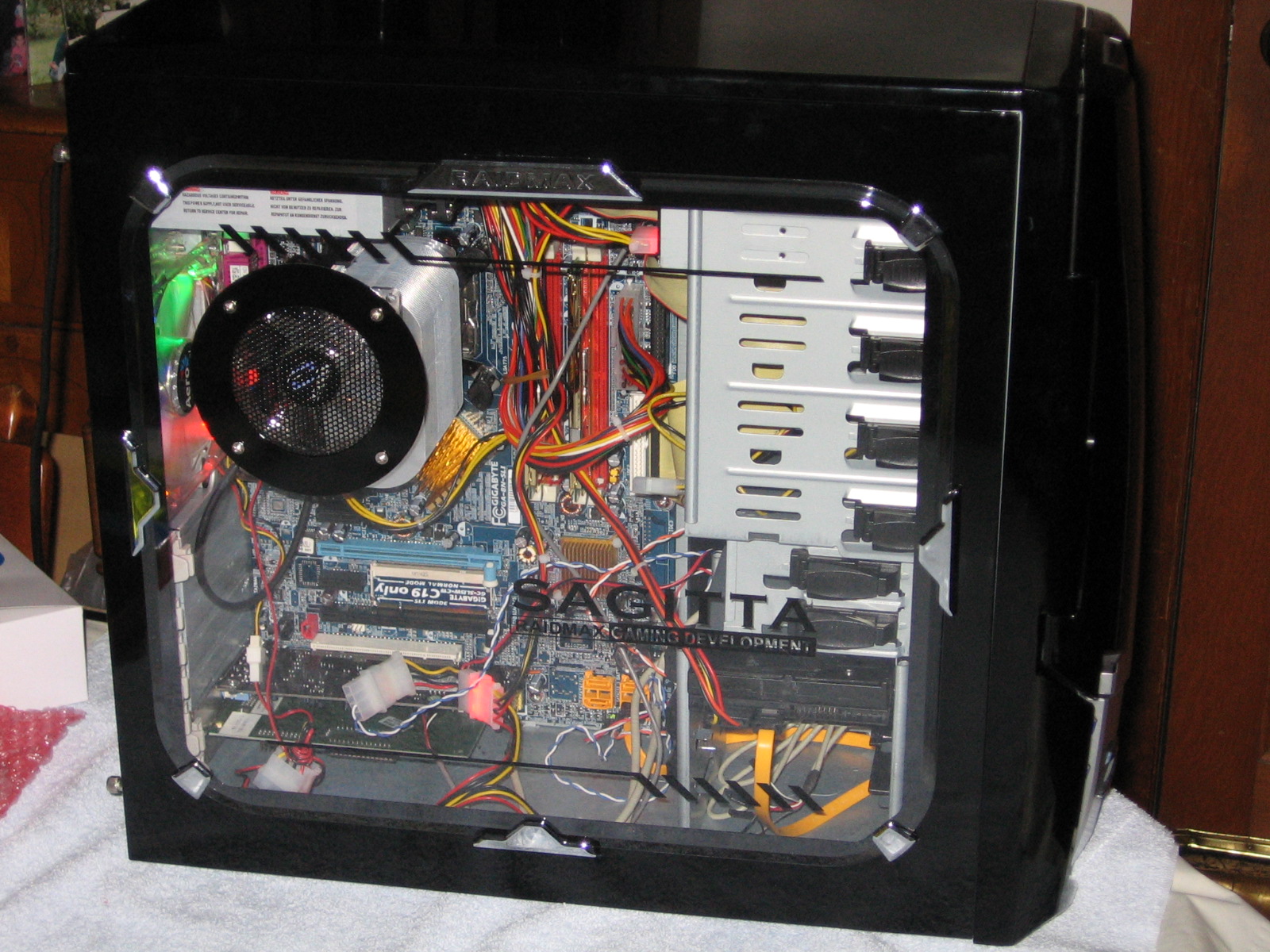
Ancient Pic of Sagitta (2006 Vintage).  I really need to take a new pic of the current configuration.

Ancient Pic of Sagitta (2006 Vintage). I really need to take a new pic of the current configuration.

You’ll probably say right away that this system, except for the graphics card, is pretty out of date for 2014, but for relative A to B comparisons within the V7 client this doesn’t matter.  For new I7 CPUs, the relative performance and efficiency differences seen by increasing the number of CPU cores for Folding reveals the same trend as will be shown here.  I’ll start by just looking at the 1-core option (uniprocessor) vs a dual-core F@H solve.

Uniprocessor Is Slow

As you can see, switching to a 2-CPU solve within the V7 client yields almost twice as many PPD (12.11 vs 6.82).  And, this isn’t even a fair comparison, because the dual-core work unit I received was one of the older A3 cores, which tend to produce less PPD than the A4 work units.

In conclusion, if everyone who is out there running the uniprocessor client switched to a dual-core client, FOLDING AT HOME WOULD BECOME TWICE AS EFFICIENT!  I can’t scream this loud enough.  Part of the reason for this is because it doesn’t take many more watts to feed another core in a computer that is already fired up and folding.  In the above example, we really started getting twice the amount of work done for only 13 more watts of power consumed.  THIS IS AWESOME, and it is just the beginning.  In the next article, I’ll look at the efficiency of 3 and 4 CPU Folding on the Q6600, as well as 6-CPU folding on my other computer, which is powered by a newer processor (AMD Phenom II X6 1100T). I’ll then move on to dual-CPU systems (non BIGADV at this point for those of you who know what this means, but we will get there too), and to graphics cards.  If you think 12 PPD/Watt is good, just wait until you read the next article!

Until next time…

-C

Energy Efficient Power Supplies: Part 2

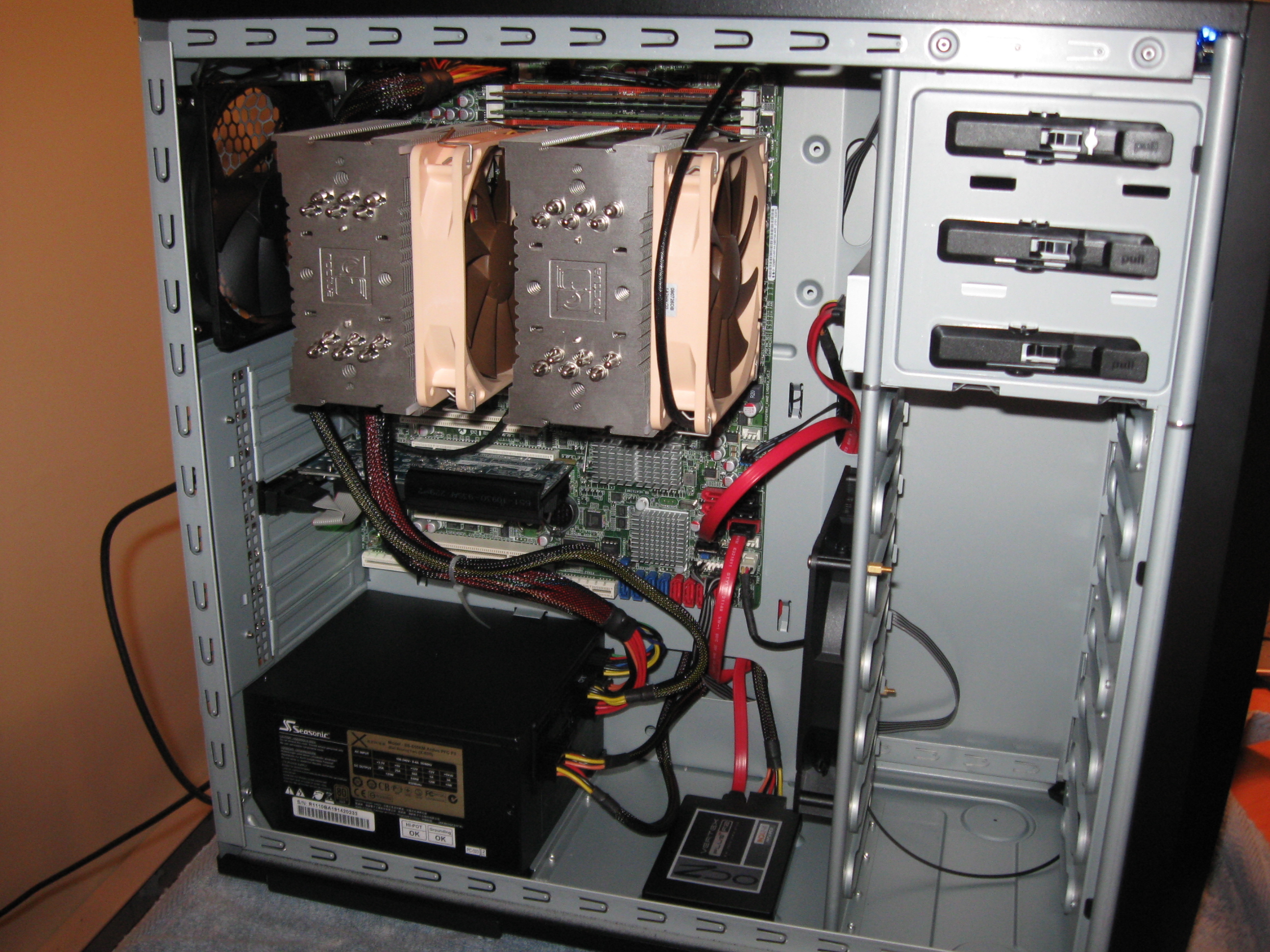
A Seasonic 80+ Gold Modular Power Supply is the Perfect PSU for my Dual Opteron 4184 12-Core Server

A Seasonic 80+ Gold Modular Power Supply is the Perfect PSU for my Dual Opteron 4184 12-Core Server

The last post gave an overview of why efficiency matters for power supplies. This post is focused on how to pull this off in practice.  The 80+ (80 Plus) certification is an optional certification that power supply makers can get on their retail PSUs by submitting samples for testing at an independent lab. There are various levels of efficiency rankings within the standard, but any unit that achieves the basic 80+ rating can be considered efficient compared to the average 60-70% efficient PSUs of old.

80+ Efficiency Table

80+ Efficiency Table

For around the clock computer operation, you should get the most efficient unit possible, although the 80+ Platinum and Titanium units can be cost prohibitive.  My recommendation is to stick with an 80+ Gold unit, because they are significantly more efficient than most power supplies and can be obtained without first having to sell a kidney on the black market.  Note that the greatest efficiency can theoretically be achieved by selecting a power supply that has a rated maximum wattage of twice what your computer requires to run F@H full-blast.  For example, if your shiny new F@H rig requires 300 watts of power to run, getting an 80+ Gold PSU rated at 600 watts should guarantee you an excellent efficiency rating of 90%.  This is because power supplies tend to be most efficient at 50% of their rated maximum load.

For many power supplies you can find an efficiency curve that graphs out the unit’s efficiency vs. load, but to save yourself valuable time you might as well just buy a reputable power supply from a good manufacturer that has the 80+ Gold certification.  As with any computer part, read the user reviews before purchase to avoid a serious frowney face later.  JonnyGuru.com has some excellent power supply reviews, and they test their review samples in a much more grueling temperature environment than the 80+ standard requires. When buying from Newegg, just filter your PSU search by efficiency rating and then by user reviews to immediately find some good candidates.  My personal favorite is the Seasonic X-series of Gold-rated PSUs, although Antec, PC Power & Cooling, Thermaltake, Cooler Master, Corsair, and many others also make good units.  I have been using the Seasonic X-650 Gold, which is a great power supply for a bunch of reasons other than efficiency (modular cables, multiple PCI Express power connections, a smart fan, the latest ATX standard, great build quality, and so on until I’m blue in the face).  The Seasonic has reduced my desktop’s power consumption by over 32 watts at idle and 49 watts at load, compared to the Ultra X2 connect 500 watt PSU I had before.  I pitched the old one into the computer recycling bin at the local transfer station to make sure it stays out of service.  It made a nice sounding kerthunk, by the way.  (Random environmental tip: Most city dumps take recycle computer electronics for free, so take your old wasteful power supply as well as any of those nasty compact fluorescent mercury-ridden light bulbs to the dump for recycling instead of throwing them in the trash.)

Efficient Power Supplies: Part 1

Good morning!  This is an intro article…feel free to skip if you already know what efficiency means for power supplies.  Part 2 goes into detail of the 80 Plus standard and is likely a more enthralling read for you spec heads!

Let’s talk about the most important piece of hardware that a desktop computer can have…the power supply!  This little guy is responsible for electrifying all the goodies inside your computer.  Furthermore, a good power supply protects your computer from dirty power (voltage spikes, EMI ripple, power fluctuations, etc).  If you have ever read an article on custom desktop building, you probably know how crucial a good power supply is, as well as the consequences of using a cheap PSU.  Suffice it to say that, for the sake of your computer’s health, this is one area where you don’t want to skimp on cost.

There is one trait of quality power supplies that is often overlooked, and that is energy efficiency.  In a perfect world, a PSU would convert every watt of 120 V AC input power into usable DC power.  In reality a portion of the power is lost as heat.  The more efficient a power supply, the less energy it wastes as heat.  In other words, your computer simply draws fewer watts from the wall.

Having an efficient power supply is crucial for F@H contributors and non-folders alike, because it will make your computer less power hungry no matter what it is doing.  From gaming and graphics design to office work and Folding@Home, an efficient PSU will put a smile on your P3’s cute little face.  (If you don’t get the reference, please also read the previous post about Watt meters)

Before I go on, I should note that the target audience of this article is those who have built or are building their own custom desktop.  People with laptops or with name-brand consumer desktops are sometimes out of luck because the power supplies are often proprietary and can’t be upgraded.  However, it doesn’t hurt to find out from the manufacturer of your computer what the efficiency of your power supply is.  Some brands, such as Dell, HP, and Apple (among others) do have energy efficient power supplies of varying levels in their machines.

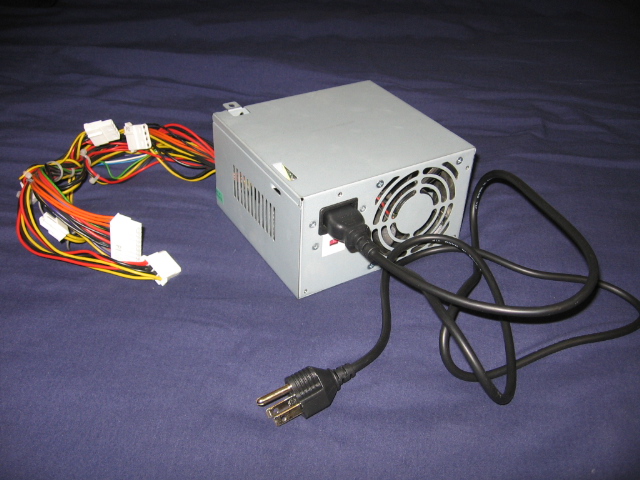
Cheap No-Name Brand Power Supply Unit that Came with a Case Bundle

Cheap No-Name Brand Power Supply Unit

If your power supply looks as lame as the one in the above pic, then it probably has an efficiency rating of 60 to 70 percent.  This means that if your computer parts need roughly 200 watts of power to run, your PSU might draw 250 watts or more from the wall in order to supply the 200 watts of DC power.  That extra 50+ watts is wasted as heat.

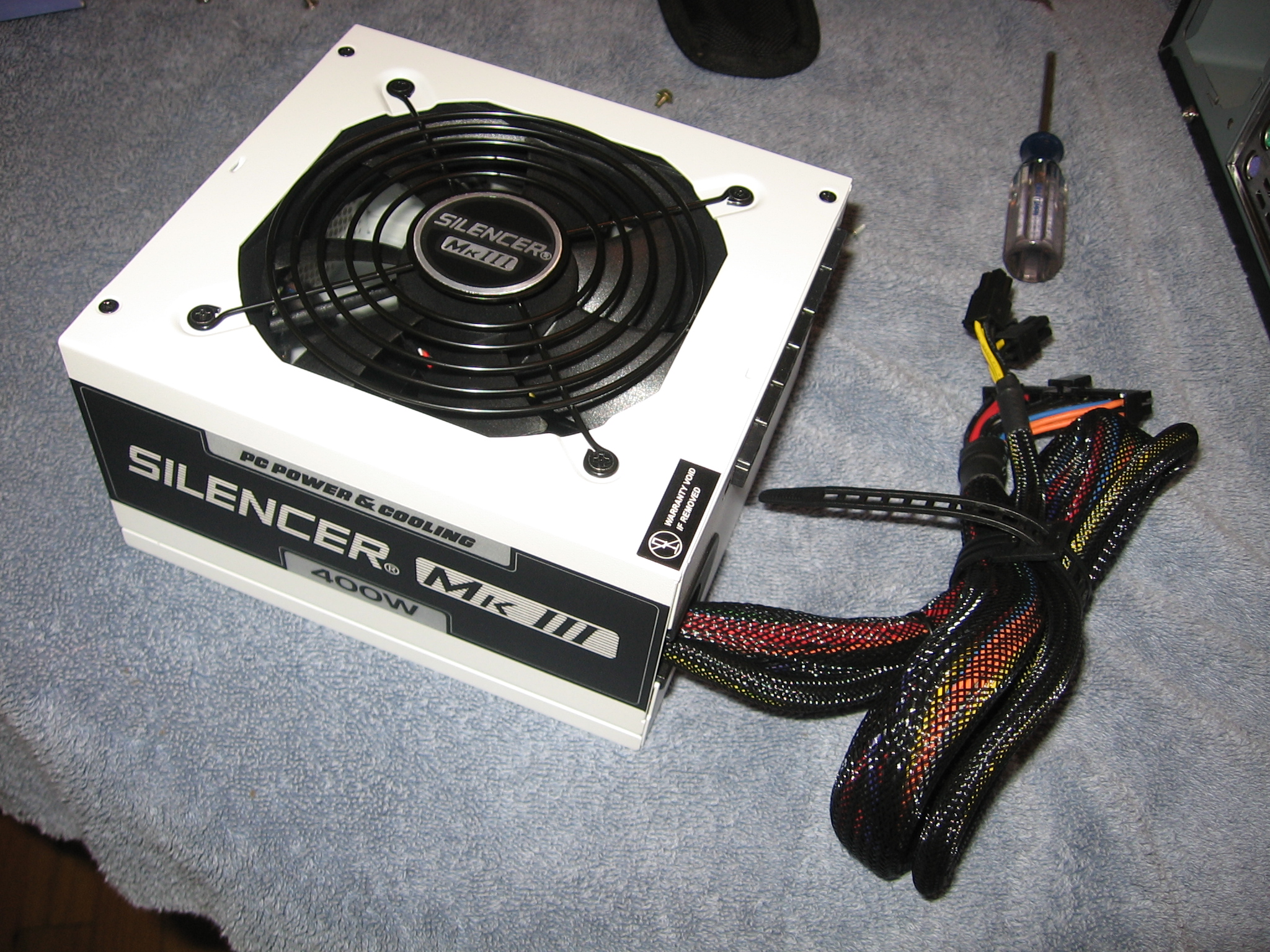
PC Power & Cooling SILENCER PSU

PC Power & Cooling SILENCER PSU

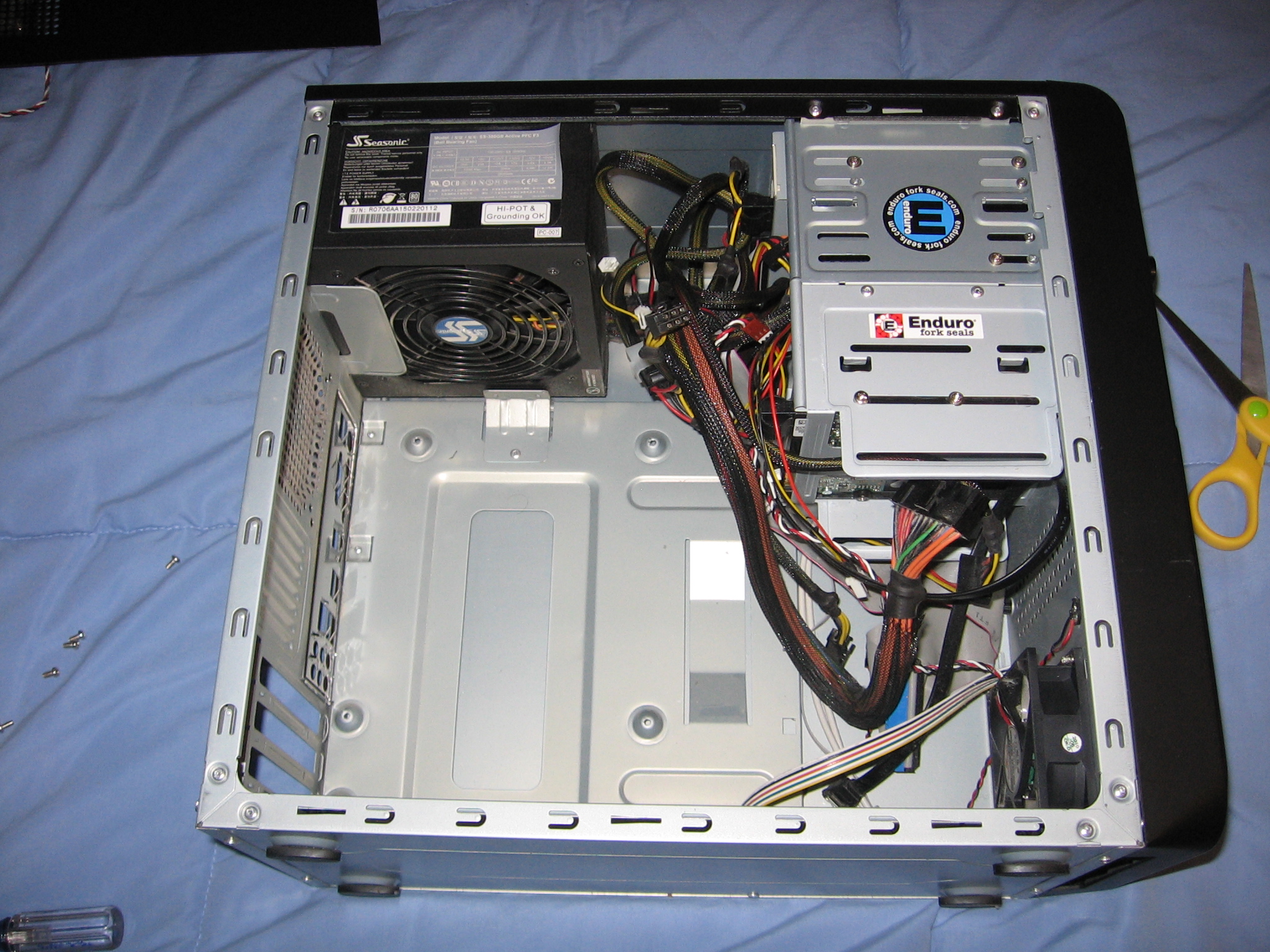
Seasonic SS-380GB PSU Installed

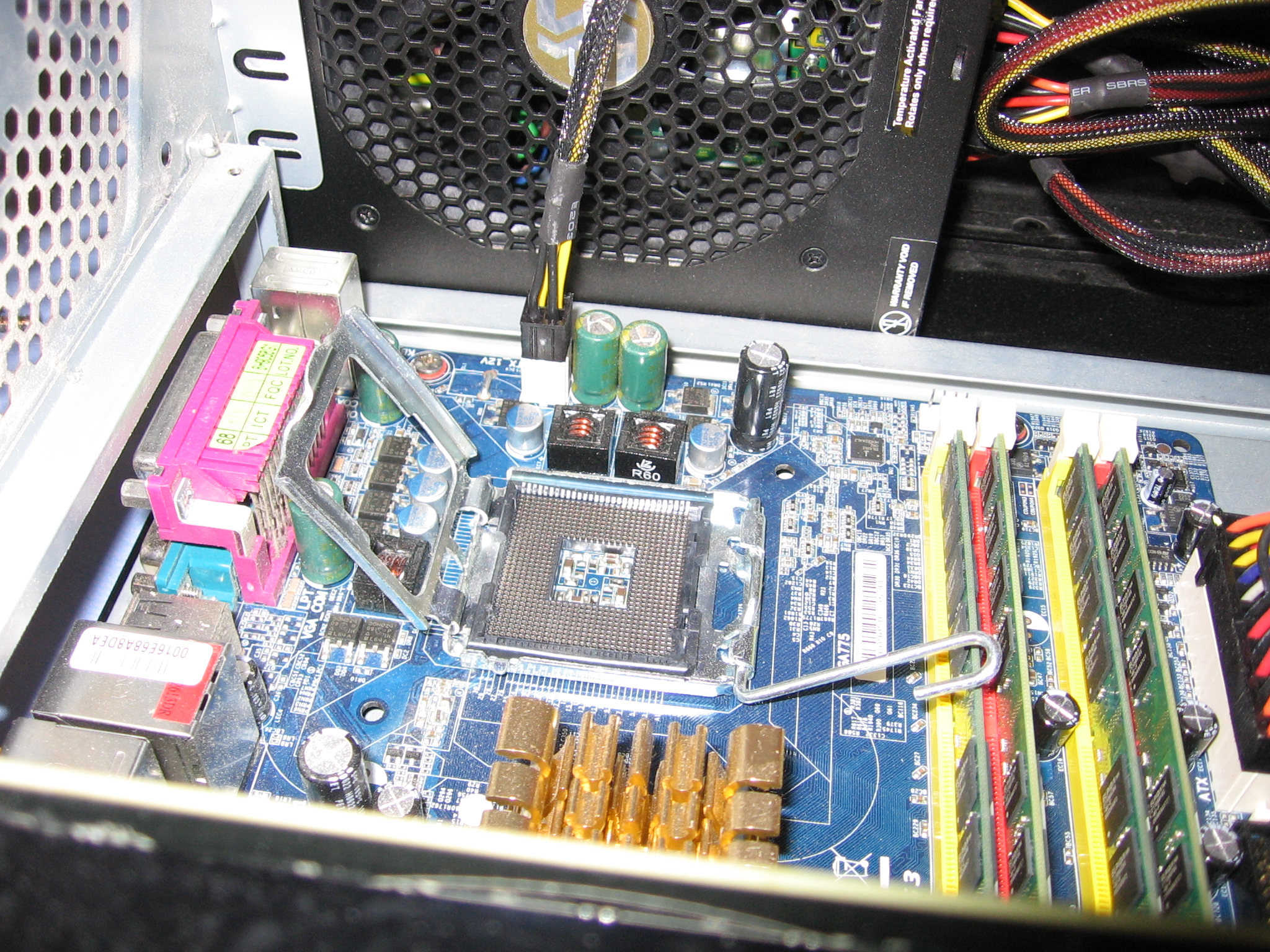
But, if your power supply looks like the one in Pic # 2 or #3, it might be closer to 80 or 90 percent efficient.  For that same 200 watt load, it is only drawing perhaps 220 watts from the wall.  The thirty watt difference might not seem like much, but for a Folding rig running 24/7 the wasted wattage of the el-cheapo unit adds up.  Let’s assume we are running a machine with the craptastic PSU.  To calculate the total extra energy wasted relative to the better PSU (remember, watts is a power quantity, which means energy/time), we need to multiply the wasted wattage by the amount of time the computer was in service to get an energy quantity in watt-hours.  So, 30 watts * 24 hours/day * 365 days/year = 262800 watt-hours.  Converting to kilowatt hours (dividing by 1000) gives 262.8 kWh.  Assuming an average electricity cost of ten cents per kWh, we get an annual cost of 262.8 * 0.10 $/kWh = $26.28.  Assuming the folding computer is running with that same power supply for 5 years (mine has been going for longer), that is over $125 wasted dollars, not to mention a slap in the face for poor planet Earth!  A good energy efficient PSU could have been bought for $40 in the first place to negate this wasted energy cost and lessen the environmental impact.

So how can you spot an efficient power supply unit?  Well, for that you can go by the independent test & certification program known as 80+.  I will cover this in detail in the next article, so that people who want to jump right into the specs and skip this intro can do so.

Efficiency Defined

Give Me Efficiency or Give Me an Empty CPU Socket!

You could always just remove your CPU to slash your power consumption, but no cancer gets cured that way.

Hi guys & gals!

Before I start talking the specifics of various computer hardware configurations, let’s get the definition of efficiency out of the way.  After all, computational efficiency is where it’s at!  That is the whole point of this blog.

Warning: Math Time (feel free to skip down a few paragraphs if you know this already):

Efficiency is a numerical ratio of two work or power quantities.  It has the general form of OUTPUT / INPUT.  Basically, it tells you how much desired work you got out of some process for a certain amount of input.  For a true mechanical or electrical efficiency, the units of both the numerator and denominator would be the same.  For example, our microwave at work generates 1200 watts of cooking power inside the machine, but draws 1488 watts at the wall.  Thus, it’s efficiency in terms of cooking power is: 1200 / 1488 = .806.  Multiply this fraction by 100 to get the efficiency percentage, and you see that our microwave is 80.6 % efficient at heating food.  Where did the rest of the energy go?  Well, in this case there was the power required to run the computerized guts, spin the turn table, spin the fan, light the light, etc.  There are also electrical losses in the circuits that get dissipated as heat into the microwave’s chassis.

Another good example is light bulbs.  In this case, we are looking at something called efficacy, not an electrical efficiency (but it is directly related), because the units in the numerator and denominator are going to be different.  It is possible, but less intuitive, to convert into a true efficiency ratio (visual power out / electrical power in), but I’m not going to go there because it hurts my brain.  Anyway, the good old 60 watt light bulb uses 60 watts (gosh) to create about 800 lumens of light.  By comparison, compact fluorescent bulbs use about 12-14 watts, and the new CREE LED bulbs use 9.5 watts.  Thus, the luminous efficacy of a 60 watt light bulb is 800 lm / 60 w = 13.3 lumens per watt.  On the other hand, the luminous efficacy of the awesome CREE LED bulbs (I have them everywhere in my house now) is 800 lm / 9.5 w = 84 lm/watt.  That is over 6 times more efficient than the old-fashioned tungsten filament bulb!  (Aside: you really should change out any 60 watt or 100 watt bulbs you still have in your house with CFL or CREE LED bulbs.  This is a great step towards negating your F@H carbon footprint! PLUS, IT  SAVES YOU MONEY!)

So, how does this relate to folding?  While, with F@H there is an accepted definition of work done, called Points.  The more work units complete, the more points you get.  Also, the faster your computer does the work units the more points you get (big time…it is exponential.  More on Stanford’s Points scheme later…).  So, to make this a power quantity (work done over time), we need to divide the # of points your computer is generating by the number of days it took to get those points.  Thus, we get to the most common rating of Folding@Home performance: The Points per Day unit (PPD).

We can obtain a rough “efficiency” of a F@H computer by dividing the PPD (scientific work output) by the electrical power (input) of the computer.  Note that this is really more of an efficacy rating (how effective something is at producing a desired output) but everyone on the interwebs calls it an efficiency so I will suppress the engineer in me and go with the flow of electrons on this one.

So, our F@H efficiency is PPD/Watt.  This is so central to this blog that I am going to say it again, for those skimmers who don’t like reading.

F@H efficiency is measured in Points Per Day / Watt!!!!

This is what we are concerned with.  Slow computers from 5 years ago still use a similar amount of electricity as today’s modern ones, but they are bricks when it comes to processing.  The amount of slow, crappy computers that are still running F@H is insane, and it is growing!  This is one of the main reasons why Folding gets a bad rap…the overall efficiency of the supercomputer as a whole is terrible.  We need to fix this!  Thankfully, Stanford & Sony have already ditched F@H on the Playstation 3.  This partnership was once one of the greatest boons to the F@H network, as back in the day the PS3’s were some of the fastest machines on the planet.  But, as computers got faster and the years went by, PS3’s became a poor choice relative to the new, super-efficient desktop processors and graphics cards.  Thus, F@H was removed as an option for Playstation users (much to their annoyance).  However, there is less management going on with the computer side of the F@H network (which is currently all of it).  If I want to, I can pull out my old Pentium 4 machine and get 100 PPD / 150 watts of power = 0.67 PPD/Watt!  But why would I want to spend money & kill the planet for that measly amount of performance?

I get the sense that you are likely getting the point by now, and thus I probably can stop rambling.  I can talk efficiency and specs all day (much to my wife’s annoyance).  The key takeaway is this:  Computers are always getting faster and more efficient.  F@H is as well, but is hindered by the amount of old computers that are stuck in yesteryear’s levels of efficiency.  We need to fix this.  We want to make our electrical contribution worth something.  WE WANT TO GENERATE AS MANY PPD/WATT AS POSSIBLE!  And that is exactly what we are going to do.  Over the next few posts, we’re going to talk in slightly less general terms about two things: how to Maximize PPD and how to Minimize Computer Power Consumption.  The latter is especially relevant to any computing project, even gaming or home computer use, so please feel free to read on even if you don’t plan to fold yourself.  Saving the planet and saving money by not using any more electricity than you need to accomplish a task is a worthy goal.  Tune in next time for the first hardware article: PC Power Supplies!